
Discord servers and bots
We build Discord servers, bots and apps. That means a server set up from a script with its roles and permissions in place, and a bot that answers from your own live data.
We set your server up from a script, so it can be rebuilt exactly and handed over to you. The script creates the categories, channels, roles and permissions, and running it again won’t duplicate anything. The bot answers from data your business already has, like live scores, stock, bookings or ticket status. Every client’s bot runs on the same shared core, so a second bot mostly comes down to configuration.
What you get
- 01A Discord application configured for both server and user installation
- 02Slash commands registered, documented and re-runnable from one script
- 03An interactions endpoint with Ed25519 signature verification, on your hosting
- 04A typed server layout you can re-run without duplicating anything
- 05A least-privilege permission model, documented in plain language
- 06Everything handed over to your team, with the code in your repository and running on your hosting
Stack
- Discord API v10
- Ed25519
- Next.js
- TypeScript
- Node.js
- Vercel
Our own work
Example 01
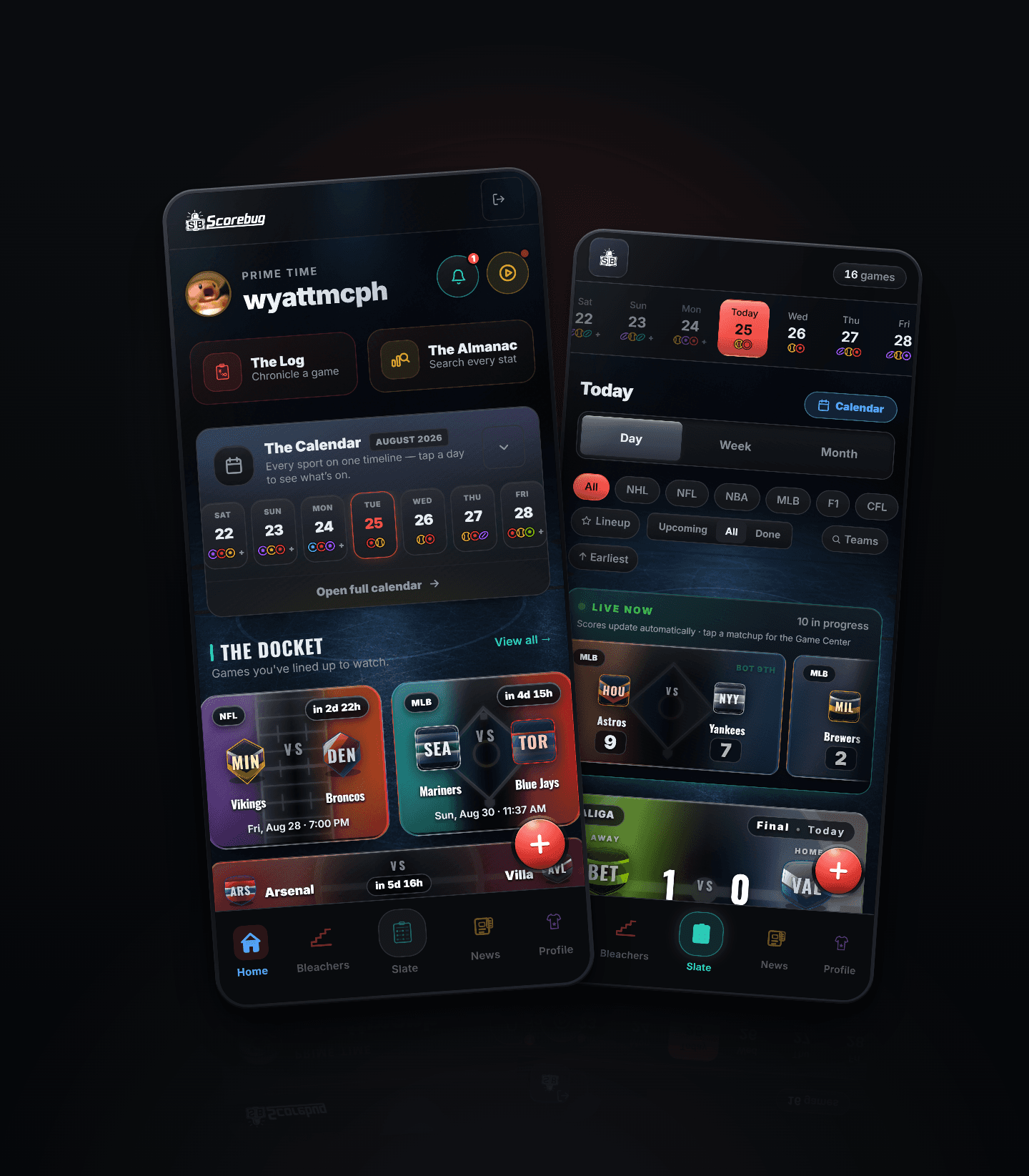
Scorebug for Discord answers seven slash commands from the same live data the app reads. Ask it about a game and it returns the scoreline, how fans graded it out of 5.0, and the game’s card, drawn on demand by the site’s own image service. The server it lives in was set up from a script, so the categories, channels, permissions and roles can be rebuilt without duplicating anything.
- leagues with live scores
- 19
- sports, from hockey to Formula 1
- 7
- the oldest season you can look up
- 2002
- Seven commands with team-name autocomplete, registered for both server and user installation
- Every request from Discord is checked with Ed25519 on the site’s own endpoint, which only holds a public key and never the bot token
- One permission, Send Messages: the bot can’t read a message in any server it’s in
Example 02

Scorebug’s community has a permanent address, getscorebug.app/discord, that keeps working when an invite is revoked. It lists the bot and every command it has.
154 clubs with a gear page of their own · 19 leagues with a page each
- The invite, the channel list and the command list are defined once and read by both the page and the bot’s own /help
- Both install paths on the page: the server install for moderators and the account install for everyone else
LimitsThe Scorebug community is still young, so there aren’t big membership numbers to show yet. The server and bot are live and public, and anyone can add the bot to their own server or account today.
See the Scorebug botWritten up
Most Discord enquiries start by asking what a bot costs to run, so we wrote up the answer. For most bots it’s close to nothing, and the write-up explains the choice that keeps it that way.
What a Discord bot actually costs to runArchitecture · 5 min read
What it costs
Ballpark prices
These are ranges. The low end is a simple setup and the high end has messy data behind it. We’ll give you an exact number after the teardown.
Teardown
Free
You have a server that isn’t working the way you hoped, and you’d like someone to tell you what’s wrong with it.
- A written review of onboarding, structure, permissions and discoverability
- What a bot could answer from data you already hold
- Delivered within two working days as a written report
Not included We don’t touch your server. You get the report and decide what to do with it.
Server build
$2,400 to $4,500 CAD
A community that exists but was put together by hand, or one about to launch that needs to open properly the first time.
- Categories, channels, roles and permissions set up from a script
- Onboarding, rules screening and the welcome new members see when they join
- A least-privilege permission model, documented in plain language
- The layout script handed over, so it can be re-run without duplicating anything
Not included There’s no bot in this package. We set up the moderation tools, and your own moderators run them.
Bot build
$6,000 to $14,000 CAD
Your members keep asking your team things a database could answer, like stock, bookings, ticket status, standings or availability.
- Slash commands with autocomplete, answering from your live data
- An interactions endpoint with Ed25519 verification, on your hosting
- Members can add it to their own account as well as to a server, so it works even where a server hasn’t installed it
- Set up under your own Discord account and repository, with your tokens and written notes on how it runs
Not included A bot that must hold a gateway connection, because it reads every message or handles voice, is a different build and is quoted separately.
Keep it running
From $900 CAD / month
The bot is live and someone needs to look after it when Discord changes something.
- Monitoring, upgrades and fixes for Discord API changes before they break anything
- New commands as the product grows
- A monthly note on what the community did
Not included Moderation isn’t included. We keep the software working, and your own people look after the server.
Written reply in two working days
Questions
Common questions
- How much does it cost to run a Discord bot?
- Usually close to nothing. A bot that answers slash commands doesn’t need a server running all the time. It needs one web address Discord can send commands to, which runs on the hosting your site already has and costs fractions of a cent per command. Bots that read every message or handle voice do need a program running all the time. We’ll tell you which kind yours is before we build it.
- Can a Discord bot read our members’ messages?
- Only if it’s built to, and most shouldn’t be. A slash-command bot only gets the command someone typed, with no message history and no member list. We ask for one permission by default, which is sending messages. Moderators usually ask about this first. A bot that only gets the command someone typed has no messages to leak.
- Who owns the bot and the server afterwards?
- You do. We set up the Discord application under your account, the code goes into your repository, it runs on your hosting and you keep the tokens. You also get written notes on how it all works.
- How long does a Discord build take?
- A server with a proper layout, permissions and onboarding takes a few days. A bot takes one to three weeks, depending on what it has to know, and most of that time goes into the data it answers from. An App Directory listing adds Discord’s review time on top.
- Can people who aren’t server admins add the bot?
- Yes, and that’s often the main reason to build one. Discord lets people add a bot to their own account as well as to a server, so its commands work in every server and direct message they’re in, with replies only they can see. That way it works in servers that would never approve a bot, and we set up both by default.
- Do you work with servers that already exist?
- Yes. For an existing server we rework the layout and permissions without losing any history, write the onboarding and add the bot afterwards. Nobody has to move to a new server.
Method
How a project runs
Every service follows the same steps, and nothing gets built until we’ve both agreed the scope in writing. The studio page goes through each one.
- 01Brief
- 02Call
- 03Scope
- 04Build
- 05Handover
Start a project
Tell us what you’re building
Start with the free teardown. You’ll get a written review of your server within two working days, and a quote if you want the work done.